Guides / Updated 2026-11-21
Arnis vs MapSmith vs BuildTheEarth: Real-World Maps
Compare Arnis desktop, ArnisWeb, MapSmith, and BuildTheEarth for real-world Minecraft maps—setup, speed, Bedrock support, detail, and when to pick each.
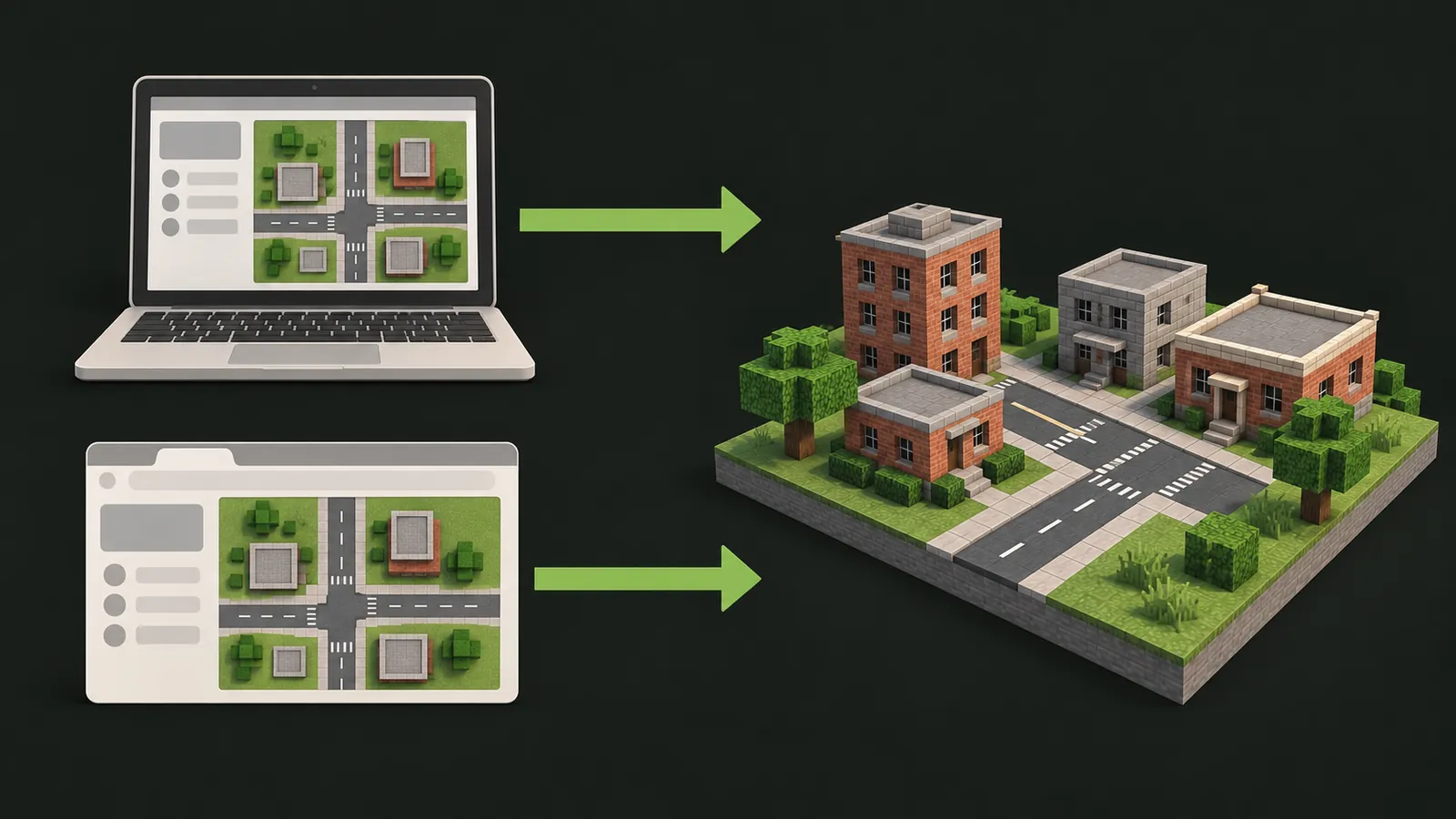
Short answer: Pick the
open-source Arnis desktop app if you have a capable PC or Mac
and want free unlimited local runs. Pick ArnisWeb if you want
zero-install browser generation on any device, direct Bedrock
.mcworld downloads, ready-made city worlds, or instant browser
preview. Check MapSmith if you specifically want the upstream
maintainer's own hosted service. Join BuildTheEarth if
you want to walk through hand-sculpted landmarks built by human teams rather
than generating a private world file.
How the four options relate
When players search for ways to visit their hometown or a real city inside Minecraft, four names come up again and again: Arnis, ArnisWeb, MapSmith, and BuildTheEarth. They solve overlapping problems, but they are not the same product—and mixing them up wastes time.
Two technical realities separate them:
- Automated geographic generation vs. manual community building. Arnis, ArnisWeb, and MapSmith all belong to the automated open-data family. They read real map geometry from OpenStreetMap (roads, building outlines, parks, rivers, coastlines) plus elevation grids, then place Minecraft blocks automatically at roughly 1 block per meter. BuildTheEarth takes the opposite approach: volunteers use a specialized 1:1 Earth projection and build famous streets, stadiums, and skylines by hand over months or years.
- Independent services on top of open source. The upstream Arnis project lives at arnismc.com and on GitHub at github.com/louis-e/arnis. Its maintainers also operate a separate web service called MapSmith. ArnisWeb (
arnisweb.com) is an independent browser-based service built on the open-source Arnis codebase. Accounts, credits, area limits, and support are completely separate across all four projects, and none of them are official Mojang or Microsoft products.
Side-by-side comparison
Before looking at each workflow in detail, compare what matters most in practice—setup friction, device support, output files, detail ceiling, and cost:
| Criteria | Arnis Desktop (Open Source) | ArnisWeb (arnisweb.com) | MapSmith (arnismc.com) | BuildTheEarth |
|---|---|---|---|---|
| How worlds are built | Automated from OSM + elevation on your machine | Automated from OSM + elevation in the cloud | Automated upstream web service | Hand-built by volunteers on a 1:1 Earth projection |
| Setup required | Download & run native desktop app | None — browser only | Browser only (check upstream site) | Join multiplayer server or install BTE modpack |
| Supported devices | Windows, macOS, Linux desktop | Windows, Mac, Linux, Chromebook, iOS, iPadOS, Android | Web browser | Java Edition (primary) + Bedrock crossplay on select hubs |
| Downloadable single-player save? | Yes (local world output) | Yes — Java (.zip) & Bedrock (.mcworld) | Check upstream export options | Rarely — primarily multiplayer server exploration |
| Works for any small town or street? | Yes, wherever OpenStreetMap has data | Yes, wherever OpenStreetMap has data | Yes, wherever OpenStreetMap has data | Only if a build team has claimed and built that area |
| Architectural realism | Accurate footprints & heights where tagged; generic facades | Accurate footprints & heights where tagged; generic facades | Same OSM-driven geometry model | Highest detail in finished zones; empty terrain elsewhere |
| Browser 3D preview & ready-made cities | No — open locally in Minecraft | Built-in browser client (/play) + 28+ prepared city maps | Separate from ArnisWeb | Requires launching Minecraft client |
| Cost model | Free open-source software (uses your CPU/RAM) | Free starter & daily check-in credits; pay per area or points for larger cuts | Upstream pricing on arnismc.com | Free community project (donations optional) |
Arnis open-source desktop app
The desktop application from github.com/louis-e/arnis is written in Rust and runs directly on your own computer. You pick coordinates on a map, point it at an existing Minecraft world folder (or create a fresh one), choose generation options, and wait while your CPU fetches OpenStreetMap elements and writes chunks locally.
Where Arnis desktop wins
- No cloud credit cost for repeated experiments. If you plan to regenerate twenty variations of the same neighborhood, test bleeding-edge commits from GitHub, or inspect source flags directly, running locally on your own hardware costs nothing beyond electricity and time.
- Direct access to upstream releases. Whenever upstream maintainers ship a new block-mapping rule or experimental feature, the GitHub release gets it first.
Where Arnis desktop hits friction
- Hardware and OS boundaries. You cannot run a native Rust desktop binary on a Chromebook, iPhone, iPad, or locked-down school/work laptop. Even on older Windows or Mac laptops, selecting a dense downtown district with tens of thousands of OpenStreetMap ways can peg CPU usage and eat several gigabytes of RAM.
- Edition and file handling. Getting the output cleanly packaged for Bedrock mobile devices or troubleshooting missing dependencies and folder paths takes extra manual steps.
ArnisWeb online generator
ArnisWeb takes the core open-source Arnis workflow and runs it on cloud servers behind a browser interface. You search a street address or city, draw a rectangle up to the current area limit (up to 50 km²), choose Java Edition (.zip) or Bedrock Edition (.mcworld), and pick one of three modes: Full World (terrain + buildings + roads), Map Objects (flat base with streets and structures), or Terrain Only (elevation without urban blocks).
Where ArnisWeb wins
- Zero local installation on every device. Because heavy chunk generation happens in the cloud, a Chromebook, iPad, phone, or 8 GB MacBook Air produces the same world as a high-end desktop. See the full Arnis online overview for a step-by-step walkthrough.
- Clean Java and Bedrock downloads. Instead of converting worlds yourself, you download a ready-to-extract Java
.zip(see how to import Java worlds) or a native Bedrock.mcworldpackage (see how to import Bedrock worlds and the Bedrock map generator). - Instant browser exploration before downloading. Generated Java 1.21 worlds can be explored straight in your browser via Minecraft Online (
/play), including a free, no-account Statue of Liberty browser demo and shareable multiplayer room links. - Prepared city worlds with tested spawn points. If you do not want to draw bounding boxes yourself, the Minecraft City Maps library already includes 28+ multi-square-kilometer worlds such as New York City, Tokyo, London, Paris, and Grand Canyon.
Where ArnisWeb has limits
- Area-based credits for big maps. New accounts receive free starter credits and daily check-in bonuses, which are enough to test compact neighborhoods (for example 0.5–1 km²). Generating 10–40 km² metro cores uses area-based points (45 points/km², 50-point minimum) or a one-time checkout shown upfront before you start. Failed generations refund credits.
- Same OpenStreetMap data boundary. ArnisWeb cannot invent houses that are missing from OpenStreetMap or scrape Google Street View facades. What is mapped in OSM is what gets turned into blocks (explained in OpenStreetMap to Minecraft).
MapSmith (upstream web service)
MapSmith is the hosted web product linked directly from the official Arnis site (arnismc.com). Because it is run by the upstream Arnis team, players who specifically want to support the original maintainers through a hosted web workflow often look there first.
Keep two practical points in mind when comparing MapSmith and ArnisWeb:
- Completely separate platforms. Pricing, maximum area limits, Bedrock packaging, browser 3D playback, and ready-made city libraries are independent. Credits or purchases on ArnisWeb do not apply to MapSmith, and vice versa.
- Check current capabilities directly. Because hosted services update their feature sets and pricing independently, check
arnismc.comfor MapSmith's current limits, and compare them against the live area/credit preview shown inside the ArnisWeb generator before generating.
BuildTheEarth multiplayer project
BuildTheEarth (BTE) started in 2020 with a wildly ambitious goal: recreate the entire Earth at 1:1 scale inside Minecraft by combining a geographic terrain projection (Terra++ / modified Cubic Chunks) with thousands of regional build teams working by hand.
Where BuildTheEarth wins
- Unmatched handcrafted detail in completed cities. When a dedicated build team spends hundreds of hours sculpting Times Square, downtown Seattle, or historic European squares, they place accurate signage, custom diagonal roofs, statues, and landmark facades that no automated OpenStreetMap converter can match.
- Social community and guided building. If you want to apply as a builder, join regional Discord teams, and contribute your own street to a shared world, BTE is built around that collaboration.
Where BuildTheEarth is not the right tool
- Coverage is patchy outside major build zones. The Earth has roughly 149 million km² of land. Unless a regional team has already built your exact neighborhood, visiting your hometown on a BTE server usually shows raw terrain and road outlines waiting for builders.
- No private single-player file on demand. You cannot usually select a 3 km² rectangle around your school, export a vanilla
.zipor.mcworldin five minutes, and play survival or hide-and-seek with four friends on a private Realm. That is exactly the gap Arnis and ArnisWeb fill.
Three real-world test scenarios
Abstract feature tables only go so far. Here is what actually happens when you try three common player projects across all four options:
Scenario 1: Your own suburban street or high school (1.5 km²)
- BuildTheEarth: High chance the town has not been claimed or built yet; you will see raw projected terrain and road outlines waiting for builders.
- Arnis Desktop: Generates the exact road grid, athletic fields, and every OpenStreetMap-mapped house for free on your PC in a few minutes, assuming your machine can run the binary.
- ArnisWeb: Produces the same OpenStreetMap layout in your browser with no install, lets you inspect coverage before starting, and exports either Java (
.zip) or Bedrock (.mcworld)—or opens right in/play. - MapSmith: Similar browser-based OpenStreetMap generation under upstream rules and limits; check
arnismc.comfor current export formats.
Scenario 2: Exploring Midtown Manhattan, Central Tokyo, or Paris landmarks
- BuildTheEarth: Unbeatable architectural likeness in finished blocks—custom signs, angled towers, and hand-built interiors where teams completed them—but locked inside multiplayer servers rather than a personal downloadable world.
- ArnisWeb: You can skip generating from scratch and jump straight into prepared 20–26 km² worlds in the Minecraft City Maps library (including free New York, Tokyo, and London saves), or draw a custom cut around a specific district.
- Arnis Desktop: Generates dense downtowns well, though 20+ km² metro cores require substantial local RAM, disk I/O, and patience while Overpass queries complete.
Scenario 3: Hosting a 6-friend weekend hide-and-seek Realm on iPad, Switch & PC
- BuildTheEarth: Not designed for private Realms or custom gamerule mini-games.
- Arnis Desktop: Requires generating locally on a PC, verifying Bedrock compatibility or converting from Java, and manually moving
.mcworldfiles to a Bedrock device for Realms upload. - ArnisWeb: Export a compact 2–4 km² Bedrock (
.mcworld) package straight from a phone, tablet, or laptop, tap to import into Minecraft Bedrock, and upload directly to a Realm slot so Switch, Xbox, PlayStation, and mobile friends can join in minutes.
Want to see what automated Arnis output looks like first? Walk the free 1 km² Liberty Island world in your browser with no account, or
open Midtown Manhattan in the online generator
.
Try Free Browser Demo →Which one should you choose?
Match your actual goal to the right tool instead of fighting the wrong workflow:
- “I want to play my own neighborhood or school in single-player or on a private Realm today.”
Use Arnis desktop (if you are on a fast Windows/Mac/Linux computer and comfortable managing local world folders) or ArnisWeb (if you want browser-only generation, Bedrock
.mcworldexport, or a quick test on a laptop/tablet/phone). - “I only have a Chromebook, iPad, iPhone, or Android phone.” Use ArnisWeb or check an online hosted service. Native desktop Arnis binaries cannot install on ChromeOS, iOS, or Android.
- “I want a big famous city ready to explore immediately without tweaking settings.” Browse the ready-made worlds in the Minecraft City Maps library (for standalone Java/Bedrock saves and browser play), or visit a BuildTheEarth server hub if you want to sightsee hand-built iconic downtowns in multiplayer.
- “I want to generate bare mountains, valleys, or islands for a custom survival build.” Use ArnisWeb's Terrain Only mode via the real-world Minecraft terrain generator, which skips roads and urban blocks while preserving real elevation curves.
- “I started from a Google Maps pin and want that exact spot in Minecraft.” Read Can You Turn Google Maps Locations into Minecraft? to see how to search the same address in the generator and check OpenStreetMap building detail before generating.
Whichever route you pick, keep one rule in mind: start small. Testing a 0.5–1.5 km² box around one neighborhood shows you in a couple of minutes whether OpenStreetMap has dense footprints there—or whether you should widen your cut or switch to a handcrafted BuildTheEarth zone.