 Limited-time free
United States
New York City
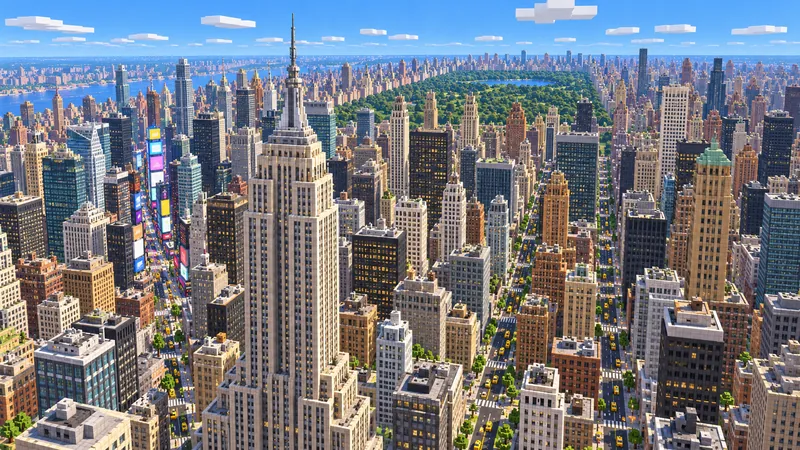
The Statue of Liberty, Ellis Island and Upper New York Bay, out to the tip of Manhattan.
- Java
- Bedrock
- 20.0 km²
Minecraft web client
Play Minecraft Java worlds online with no download: load a real city in a few seconds, fly around with your mouse and keyboard, invite friends, then download the world for the full game.

Multiplayer
Open a world, click Invite friends to join and send the link. Friends join the same world from their own browser in seconds: no server to rent, no install, no port forwarding.
A city from the map library, a world you generated, or the demo.
Copy the link from the bar above the game and paste it in any chat.
Friends sign in and appear in your world. Fly the same streets side by side.
Your browser hosts the world, so keep this page open while friends play. Inviting and joining need a free ArnisWeb account.
How to start
Start a city from the map library, open a world you generated, or open the client to load your own Java world ZIP.
The world file downloads into this tab. A 20 km² city is about 80 MB; nothing is installed on your computer.
Click the world to lock the mouse, type /gamemode creative in chat, then double-tap Space to fly.
Controls
Click the world to lock the mouse, then move it to look.
W forward, S back, A and D to the sides.
Double-tap Space to start or stop flying in creative mode.
While flying, hold Space to rise and Shift to descend.
Open chat to type a command.
/gamemode creativeType this in chat if you cannot fly yet.
Release the mouse and open the menu.
Real places
Each city map is rebuilt from OpenStreetMap: streets, buildings, water and parks at 1 block per metre. Try one in the browser, then download it for Java or Bedrock.
Limited-time freeUnited States
The Statue of Liberty, Ellis Island and Upper New York Bay, out to the tip of Manhattan.
 Limited-time free
Japan
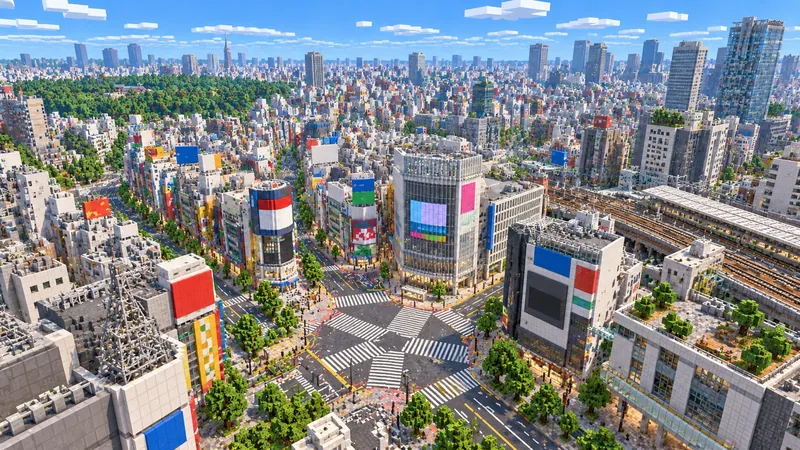
The Shibuya crossing, its rail lines and the dense streets of the valley.
 Limited-time free
United Kingdom
Westminster, the South Bank and the bends of the Thames between them.
Versions and devices
Java Edition worlds, so you can play Minecraft 1.21 worlds online, including every world ArnisWeb generates. The client may warn that a version is untested; city maps render normally. Bedrock .mcworld files cannot be opened here.
Recent Chrome, Edge, Firefox and Safari on a desktop or laptop. A dedicated graphics card helps on large cities.
Most recent Chromebooks run smaller worlds well. Keep the render distance low on older models.
Possible, but not recommended: there is no keyboard, and iOS limits each tab to about 300 MB of memory. Download the world for the mobile game instead.
No. This Minecraft web client runs in your browser tab with no download or install; only the world file loads into the tab. To keep a world or play it in the full game, use the download button on its map page.
No. It is an unofficial client that reads Minecraft Java worlds. It does not include Mojang or Microsoft services, and it is not a replacement for the game.
Most browsercraft sites run a generic world or a server list. Here you open a specific Java world, such as a real city from the map library or one you generated, and you can download the same world for the full game.
Yes. After the world loads, click Invite friends to join and share the link. Friends join your world in their own browser after signing in, while you keep the page open. You can also download any map and host it on your own Java server.
Yes, on most recent models. Start with a smaller city and leave the render distance at its default.
No. Changes you make in the browser are lost when you close the tab. Download the world to build on it.
The browser client opens Java worlds only. Maps generated as Bedrock only, and library maps you have not unlocked, show the download options instead.
ArnisWeb is not an official Minecraft product and is not affiliated with Mojang or Microsoft. Map data © OpenStreetMap contributors, available under the Open Database License. Open-source licences
Real places
Draw an area on the map, generate it, and open it here or in the game.
Guides