 Limited-time free
United States
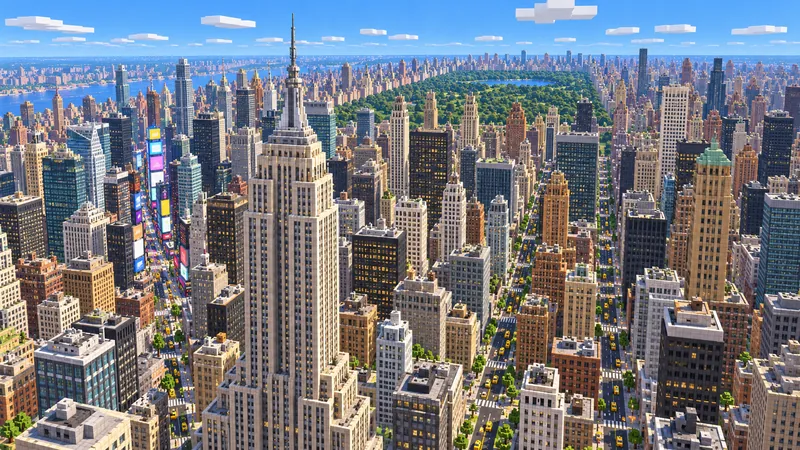
New York City
Midtown towers, the Manhattan street grid and the south end of Central Park.
- Java
- Bedrock
- 5.6 km²
Map library
Explore real cities in Minecraft. Every map in this library is built from OpenStreetMap streets, buildings, parks and water, then turned into a Java or Bedrock world you can walk block by block. Pick a city to see what it includes, or start from it and generate your own version of the area.
3 cities
Limited-time freeUnited States
Midtown towers, the Manhattan street grid and the south end of Central Park.
 Limited-time free
Japan
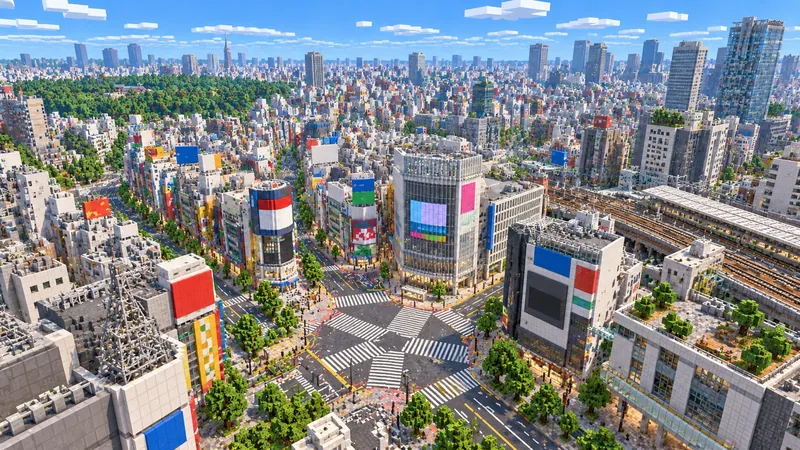
The Shibuya crossing, its rail lines and the dense streets of the valley.
 Limited-time free
United Kingdom
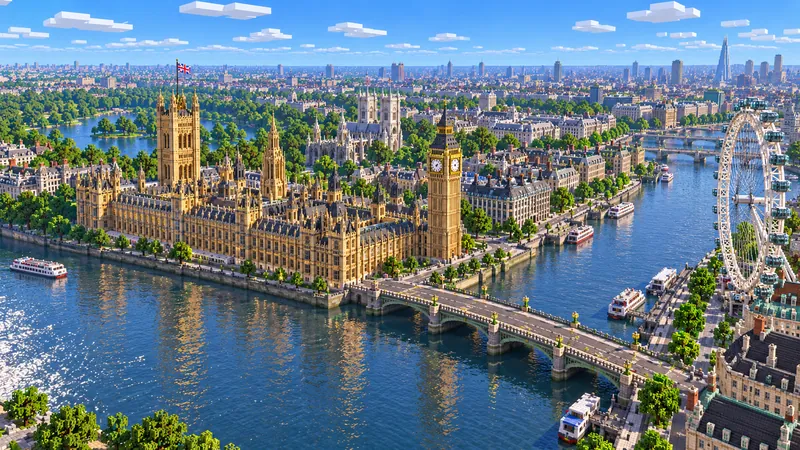
Westminster, the South Bank and the bends of the Thames between them.
01 / Basics
A Minecraft city map is a world that recreates a real or imagined city so you can explore it, build in it or use it on a server. Hand-built city maps can take teams years to finish. The maps here take a different route: they start from real geographic data, so the streets, blocks, parks and rivers sit where they are in the real city.
That makes them a strong starting point rather than a finished showpiece. You get an accurate street plan at roughly one block per meter, building footprints with heights where the data has them, and terrain from elevation data. What you build on top is up to you.
02 / How it works
Want the details? Read how OpenStreetMap data becomes blocks.
03 / Two ways in
When a city has a published sample, you can download a tested Java world for its starting area for free after signing in. It is the quickest way to start exploring a city.
Every city page links straight into the generator with an area already selected. Move or resize the rectangle, choose a mode, and generate exactly the part of the city you want.
04 / Editions
Java Edition maps come as a ZIP file that contains a normal world folder. They work in Singleplayer and on Java servers, on Windows, macOS and Linux.
Bedrock Edition maps come as an .mcworld file. Open it and Minecraft imports the world on Windows, phones and tablets. See the Bedrock map generator and the Bedrock import guide for device-specific steps.
05 / Install
Need screenshots or macOS and Linux paths? Follow the Java world import guide.
Browsing the library is free, and published sample worlds are free to download with a signed-in account. Generating your own area uses the same points or one-time checkout as the main generator, and the price is shown before you start.
Every city is available for Minecraft Java Edition (a ZIP world folder) and Bedrock Edition (an .mcworld file). Each download lists the game version it was generated for.
You do not need to wait for one. Search any place in the generator, draw a rectangle within the area limit, and generate your own world from the same map data.
No. Streets, building footprints, parks and water follow OpenStreetMap. Heights depend on the data, and facades, interiors and complex landmark shapes are simplified.
Yes. Keep the "© OpenStreetMap contributors" attribution with the world or in your video description, as the map data license requires.
Your city next
Search any town or neighborhood, select an area on the live map and create your own Minecraft world from the same data.
Guides