Challenge 01
Rebuild a landmark
Take the generated outline of Parliament or the London Eye and build the full structure on top of it in Creative mode.
United Kingdom / City map
Follow the Thames through central London in Minecraft. This London Minecraft map starts in Westminster, between Parliament Square, St James's Park and the South Bank, and is built from real OpenStreetMap data. You can also start from the City of London or Tower Bridge, or draw your own area.
Java Edition · Bedrock Edition
01 / Overview
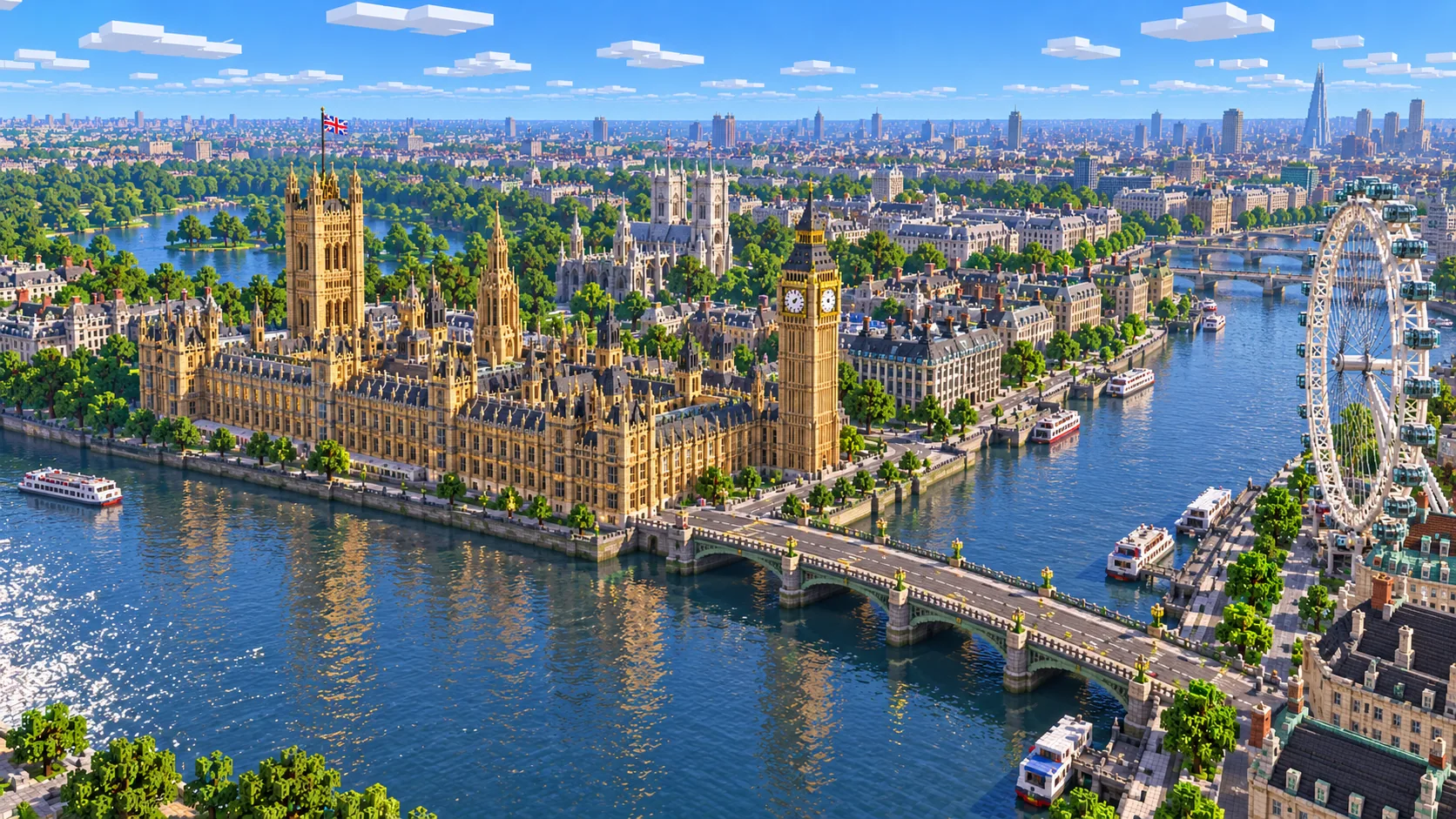
Central London has no grid. Its streets grew out of medieval lanes, royal parks and the curve of the river, so every district has a different shape. Westminster is laid out around government buildings and open squares. The City of London keeps a dense, twisting street pattern on its old footprint. The South Bank runs along the river opposite both. Rebuilt in Minecraft at about one block per meter, those differences are easy to read from the air and interesting to walk at ground level.
The river ties it all together. The Thames is wide here, well over two hundred meters at Westminster, and its curve sets the direction of almost every street around it. In the generated world it becomes a broad band of water you can sail along, with mapped bridges crossing it and embankments on either side.
The map suits players who want a historic city to explore, builders who like to add detail to recognizable streets, and teachers or creators who want a familiar part of London as a backdrop. The terrain in central London is gentle, so the street plan and the river are what give the map its character.
02 / Inside the map
The recommended starting area covers Palace of Westminster, Westminster Bridge, the London Eye, Trafalgar Square, St James's Park and Buckingham Palace. Places marked as separate presets are outside it. Open them from the customize section below.
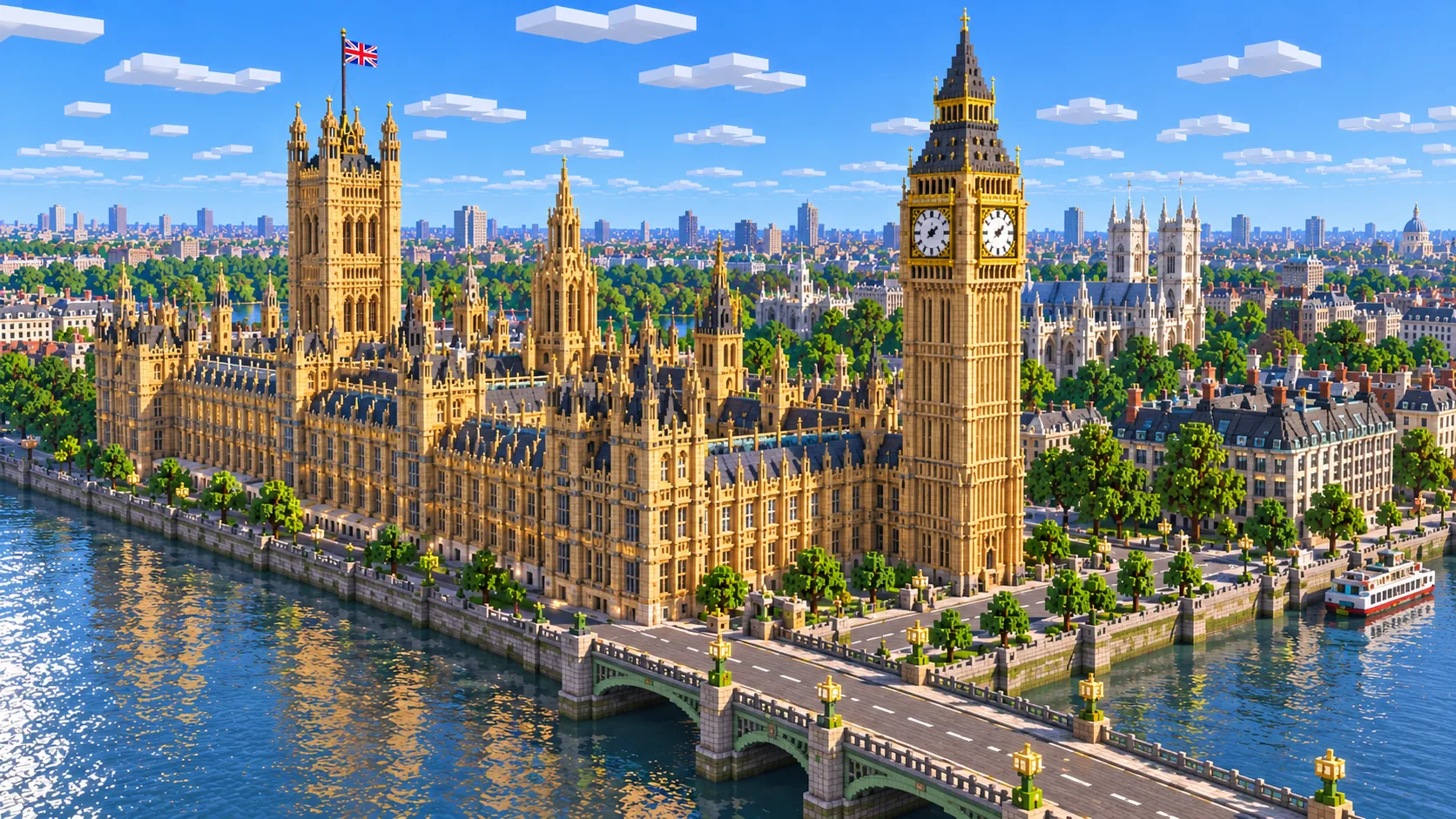
The long riverside footprint of Parliament, with Parliament Square and Westminster Abbey just to the west.
Cross the river to the South Bank, where the base of the London Eye and County Hall face Parliament.
The ceremonial street that connects Parliament to Trafalgar Square, at the northern edge of the starting area.
The park, its lake and The Mall lead west to the palace forecourt on the edge of the selection.
The financial district on the old Roman and medieval core. Start here with the City of London preset.
The river crossing and fortress downstream of London Bridge, available as the Tower Bridge preset.
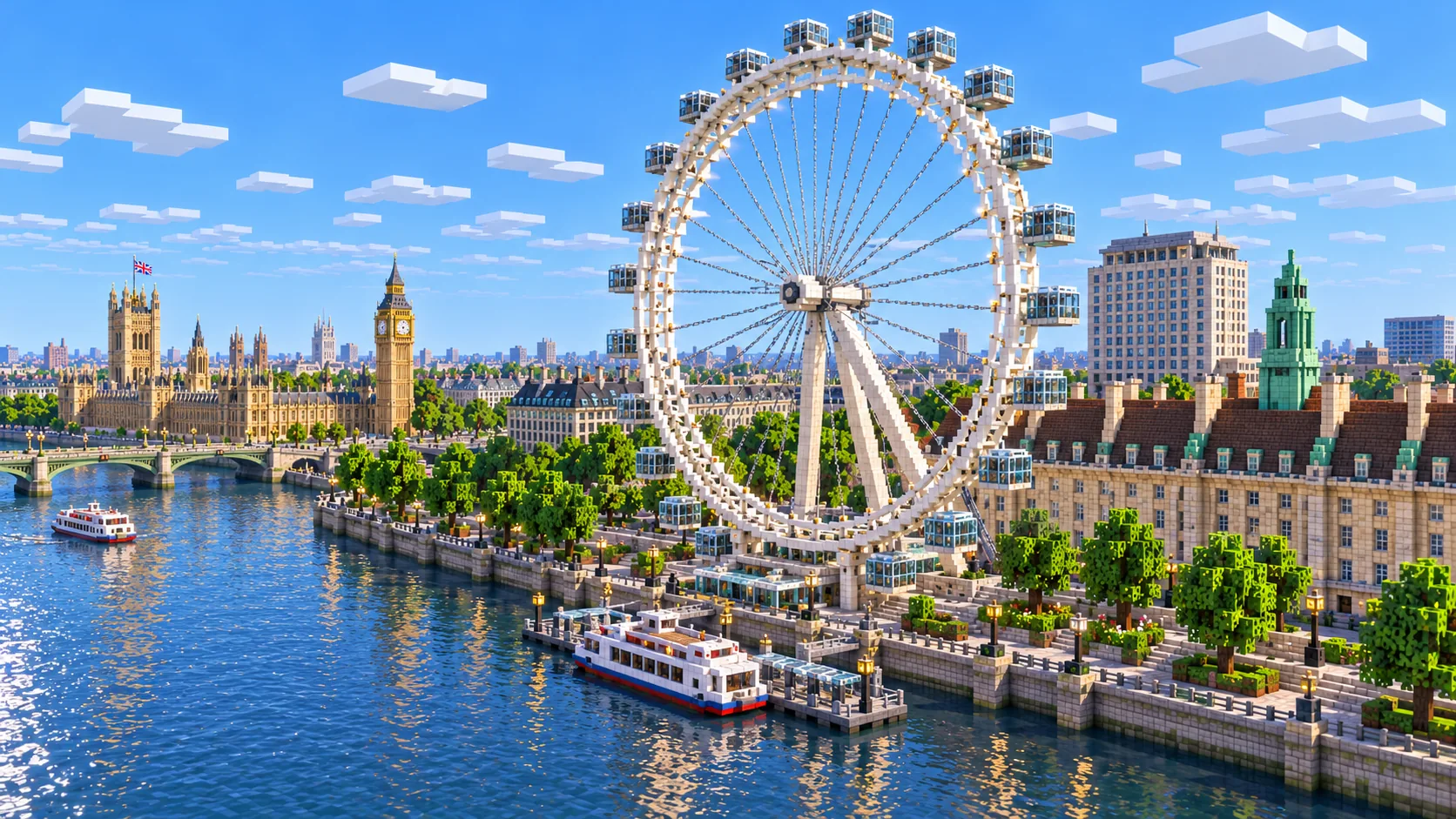
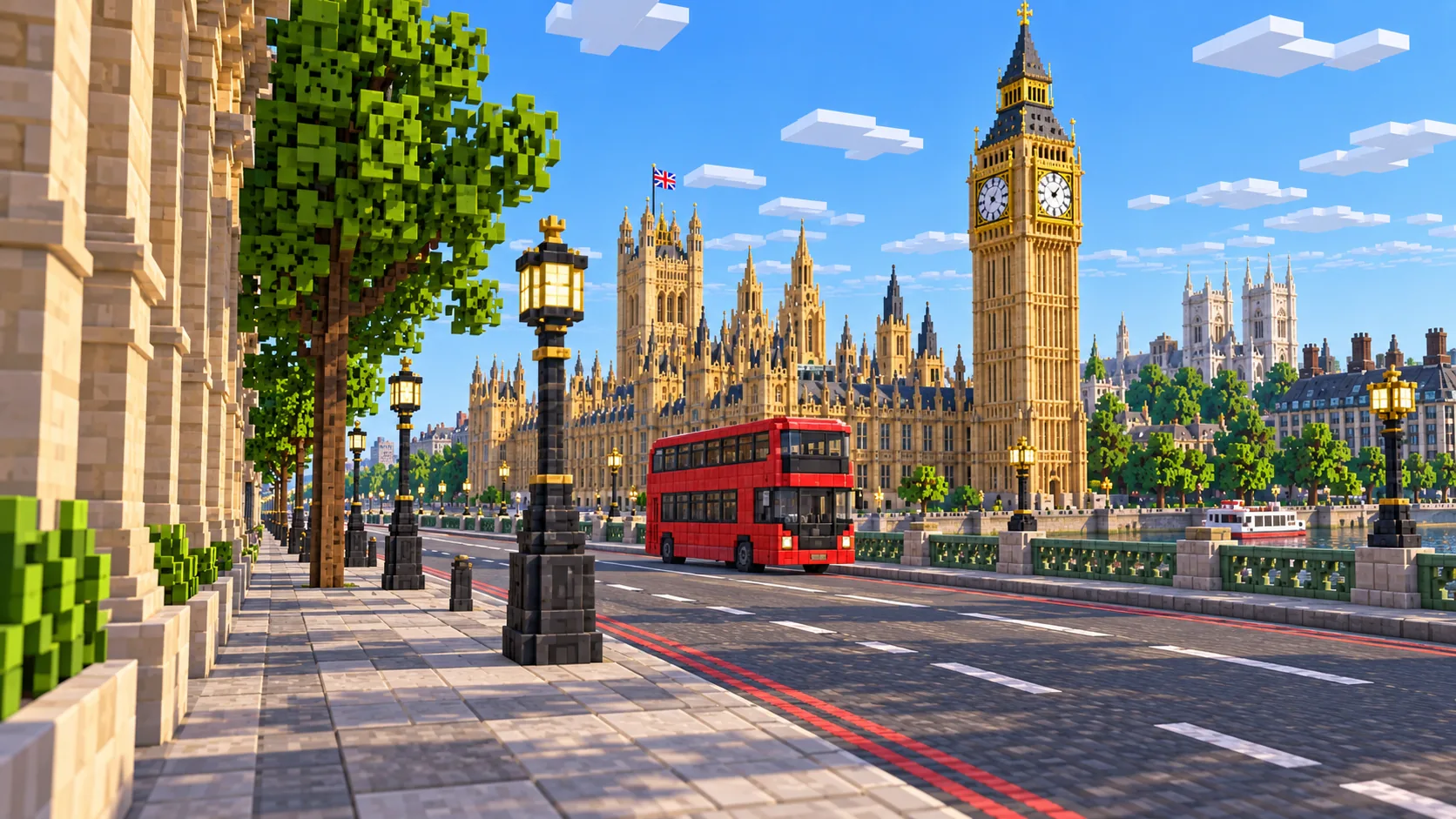
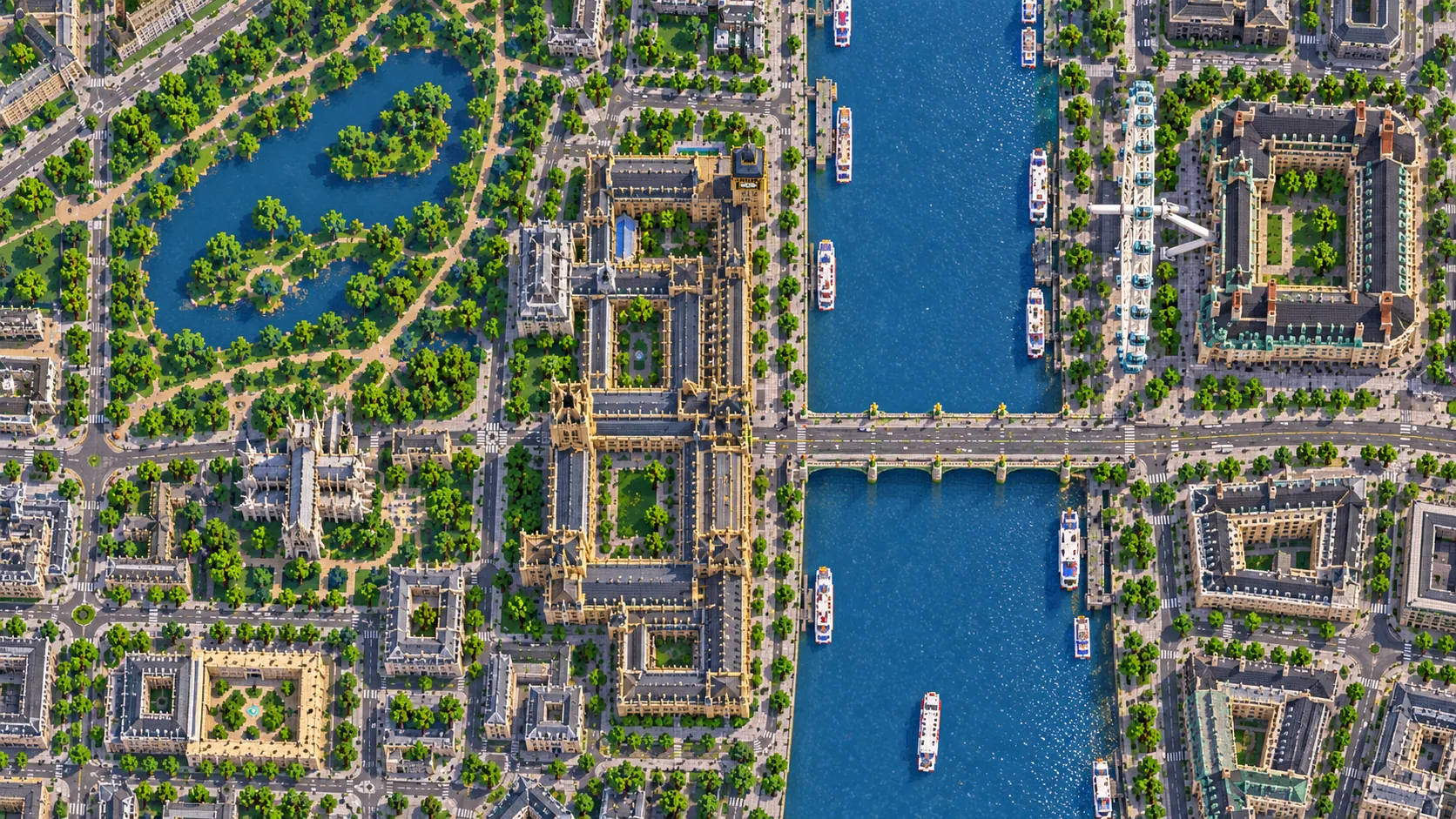
Illustrations. Generated worlds follow OpenStreetMap data and differ in detail.
03 / Why this city
London is a city of contrasts at short range. In a few hundred blocks you go from open lawns and lakes in St James's Park to tight government streets and then to a wide river. A small selection holds a lot of variety, which makes it a good map for exploring rather than only flying over.
The irregular street plan also makes London more interesting to navigate than a grid city. Roads meet at odd angles, squares appear without warning, and the river keeps pulling you back to the same landmarks. On a server, that layout produces natural districts and meeting places with no extra planning.
London's best-known structures have shapes no footprint can describe. Elizabeth Tower's clock face, the London Eye's wheel and Tower Bridge's towers appear as their mapped outlines and simplified volumes, not as sculpted models. Many players see that as the fun part. The generated map gives you the exact position and scale, and you build the icon on top of it.
04 / Play
Challenge 01
Take the generated outline of Parliament or the London Eye and build the full structure on top of it in Creative mode.
Challenge 02
Spawn a boat on the Thames and travel between the bridges. The embankments make clear stopping points for a tour.
Challenge 03
Use Westminster as the seat of a server government, or turn the City into a trading district with shops along its lanes.
Challenge 04
Compare the generated streets with a real map of central London and talk about how the river shaped the city.
05 / Download
Download the Westminster & South Bank starting area as a ready-made world for Java or Bedrock Edition.
Step-by-step help: Java import guide · Bedrock import guide
06 / Customize
Each area opens the generator with the rectangle already drawn. Move it, resize it or change the mode before you generate.
4.6 km²
The recommended starting area: Parliament, Whitehall, St James's Park and the South Bank around the London Eye.
Open in generator2.3 km²
The City of London around St Paul's Cathedral, Bank and the river frontage near Blackfriars.
Open in generator2.3 km²
Tower Bridge, the Tower of London and the river frontage on both sides, including part of the South Bank.
Open in generator07 / Limits
Map data © OpenStreetMap contributors, available under the Open Database License. Generated with the open-source Arnis project.
Elizabeth Tower's position and footprint are part of the Palace of Westminster in the starting area. The clock face and spire are not modeled in detail, so it is a good landmark to finish by hand.
Not in one selection. Generate neighboring areas one at a time, for example Westminster, the City and Tower Bridge, keeping each one under the area limit shown in the generator.
Yes. The Java Edition download is a ZIP file with a normal world folder. Unzip it into your saves folder and open it from Singleplayer.
Yes. The Bedrock Edition download is an .mcworld file. Open it on Windows, a phone or a tablet and Minecraft imports the London world automatically.
Streets, parks, water and building footprints follow OpenStreetMap at roughly one block per meter. Heights and complex landmark shapes are simplified.
Yes. Use the Tower Bridge customize link. It opens the generator with that area selected, and you can adjust the rectangle before generating.
More maps
Guides